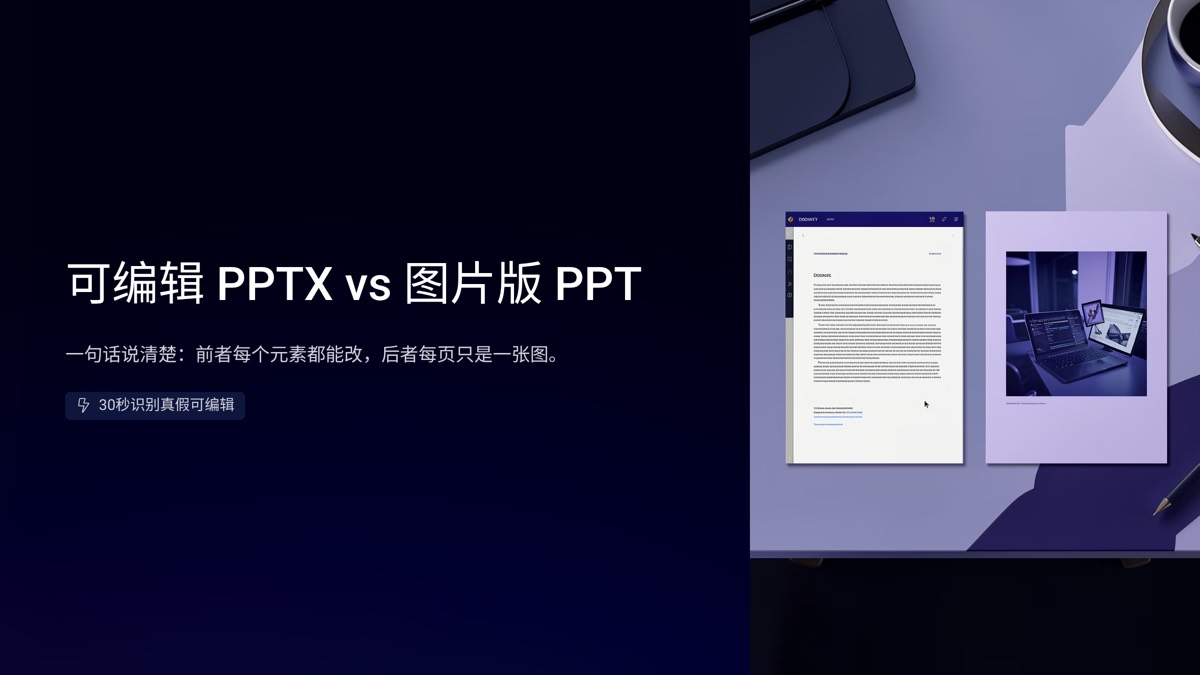
The difference between editable PPTX and image slides is simple to state: in an editable file every heading, text box, shape and chart is its own object you can change; in an image deck, each slide is just one picture. On screen the two can look identical, yet they behave very differently when you need to fix a typo, project on a big screen, or hand the file to a colleague. Here is a side-by-side comparison and a 30-second test for spotting a "fake editable" deck.
What is actually inside each file
An editable PPTX is built from separate objects. The title is a text box, colored blocks are shapes, charts carry their underlying data, and photos are individual image objects. You can click in and retype, drag things around, recolor them or change the numbers behind a chart.
An image-based deck is made by rendering each slide into a single flat image and placing one image per slide. The file may still end in .pptx and look perfect when opened, but wherever you click, you select the entire picture.
Why do image decks exist at all? Some automated tools output flat images so the result matches their preview pixel for pixel. Converting a PDF into slides with a basic converter often produces the same thing. So when you receive a deck — especially a generated one — check which kind it is before you plan your edits around it.
Six differences that matter
| What you care about | Editable PPTX | Image slides |
|---|---|---|
| Editing text and data | Click and change it | Impossible without rebuilding or pasting over |
| Looks the same everywhere | Depends on the viewer having your fonts | Identical on every device |
| Sharpness when enlarged | Text and shapes are vector and stay crisp | Limited by image resolution; can blur on big screens |
| File size | Usually small | Grows quickly with page count |
| Search, copy, screen readers | Searchable, copyable, accessible | Text is part of the picture, so none of these work |
| Teamwork and reuse | Split, reuse layouts, co-edit | Usable only as whole slides |
Neither format is "better." An editable PPTX is a working file; an image deck is a finished snapshot. Trouble starts when a snapshot is handed to someone who needs a working file — the manager who wants three numbers changed before tomorrow's meeting, for instance.
The 30-second "fake editable" test
Open the deck and run through these checks:
- Click a heading. A blinking text cursor means real text. A selection box around the whole slide means you are looking at an image.
- Select all on one slide. Press Ctrl+A (Command+A on a Mac) and count the selection boxes. Exactly one box almost always means a full-slide image.
- Zoom past 300%. Jagged or fuzzy letter edges mean the text is baked into a picture.
- Search for a visible word. If find cannot locate a word you can clearly see, that text is not real text.
- Right-click a chart. If you can open its data sheet, it is a live chart; if not, it is a pasted picture.
- Compare file size to page count. A short deck with a huge file size often contains full-slide high-resolution images.
The first two checks settle most cases. The rest catch hybrids, such as decks where headings are editable but every chart is a screenshot.
Which format fits which situation
Ongoing edits and collaboration: editable PPTX
Status reports revised after feedback, lessons adjusted for a particular class, pitch decks updated every funding round — all of these need a file you can change. Year-end reviews especially tend to go through several rounds before sign-off.
Sending for someone to read: PDF
A PDF keeps the layout stable and usually keeps text searchable and copyable, which makes it the default for external sharing. For a scenario-by-scenario breakdown, see PDF or PPTX: which to send.
Social posts and long images: PNG
Social carousels, LinkedIn posts and chat apps want images. Export a PNG set from the editable file rather than turning your source file into pictures.
Presenting live: editable PPTX plus a PDF backup
Present from the original so you can adjust on the spot, and carry a PDF in case the venue machine lacks your fonts or runs an older version of the software.
The workflow that avoids pain: one editable source, many exports
Whatever you eventually deliver, keep one editable master file and export everything else from it:
- Make changes only in the master, so versions never drift apart.
- Export a PDF for readers and a PNG set for social channels.
- Put a version number and date in file names so every export maps back to its source.
If all you have is an image deck, fixing a single typo means rebuilding the slide. That is why "does it export a truly editable file?" belongs near the top of your checklist when choosing any slide tool.
What to check when AI makes your slides
Run the 30-second test on any AI tool's output before you rely on it. Our AI slide studio exports a PPTX you can edit directly in PowerPoint or WPS — text and layout stay fully adjustable — and the same deck also exports as a PDF and a PNG image set, so you do not need to build separate versions for reading and posting.
Take a look at the year-end review deck example to see the exact input and the finished result, then generate your own in the AI slide studio. Still weighing different kinds of tools? Our comparison of specialized AI slide tools vs general AI agents walks through the trade-offs.
FAQ
Are all AI-generated slides editable?
No. Some tools render each slide as one flat picture and drop it into a PPTX, so you can move the slide image but not change a word. Click a heading in PowerPoint or WPS: if you get a text cursor and can select individual shapes, the file is genuinely editable.
Do image-based slides have any advantages?
Yes. They look identical on every device, with no missing fonts or shifted layouts, which suits social posts, long images and view-only sharing. The trade-offs are that you cannot edit text, they can blur when enlarged, and their text cannot be searched or read aloud.
Can image slides be turned back into an editable deck?
Text recognition can pull the words out, but layouts, fonts and chart data usually have to be rebuilt by hand, which is close to starting over. It is far easier to generate an editable PPTX from the start and export images from it when you need them.
Pick the format for the job, and keep one rule: the source stays editable, while PDFs and images are just exports. Manage files that way and a stubborn typo will never cost you an afternoon again.

 Editorial Team